I Clustered Two Mac Studios with exo: Measured Numbers
I sharded LLMs across two Mac Studios with exo over Thunderbolt RDMA. Two node tensor hit 21.6 tok/s vs 18.2 solo, but prefill got slower.
My first instinct was wrong. I assumed a second Mac Studio would nearly double my local inference speed. Two chips, twice the memory bandwidth, simple math. Then I measured it.
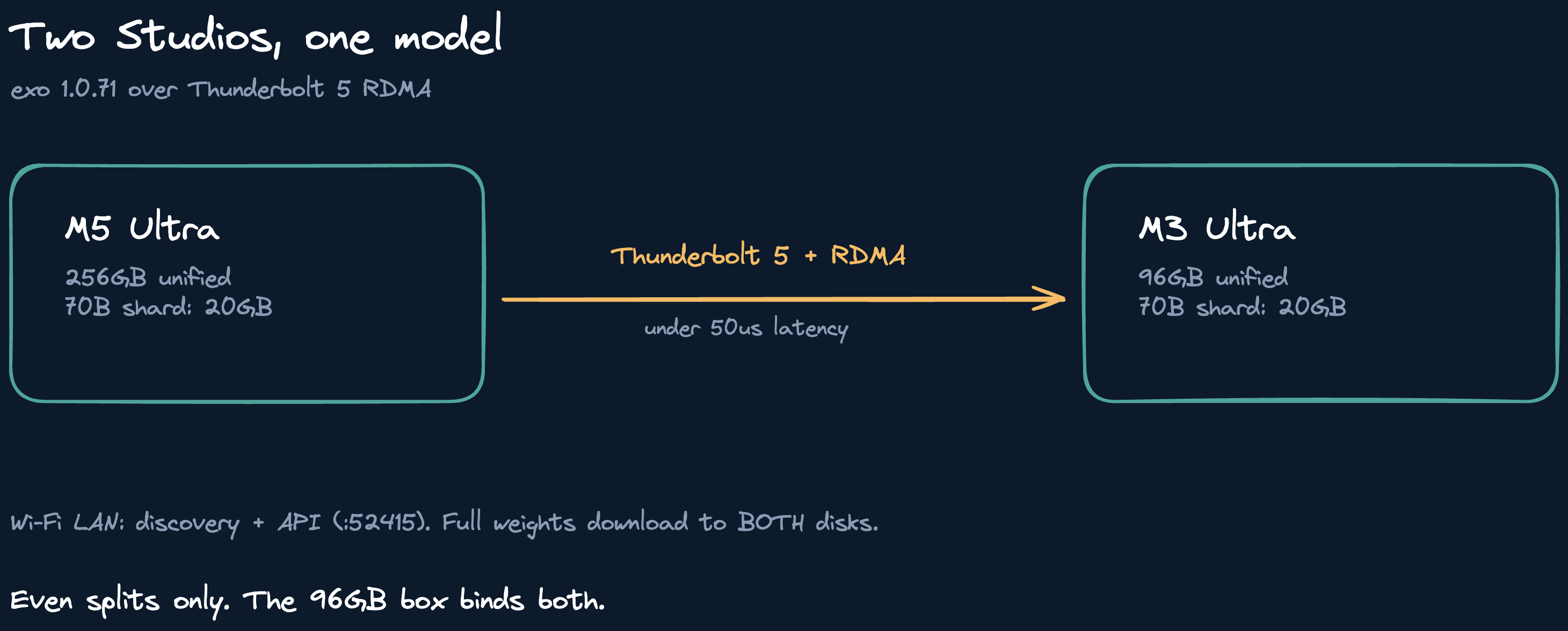
I clustered a Mac Studio M5 Ultra (256GB) with my older M3 Ultra (96GB) using exo, connected them over Thunderbolt 5 with RDMA enabled, and ran the same prompts solo and sharded. The cluster won exactly one benchmark out of four. Here are the numbers and the operating rule they taught me.
The setup
Both machines run exo 1.0.71 with RDMA enabled (Recovery mode, rdma_ctl enable, reboot each). They are joined by a single Thunderbolt 5 cable, with Wi-Fi LAN carrying discovery and the API on port 52415. One detail that cost me an hour: RDMA silently refuses to work unless both Macs run the exact same OS build. My pair only started forming two node placements after I matched them both to 27.0.1 (26A434). Before that, every sharded placement failed with a connectivity error while single node worked fine.
The test model was Llama 3.3 70B Instruct at 4-bit, about 40GB. Small enough to fit comfortably on either machine alone, which is exactly what makes it a fair fight. I ran identical prompts three ways: solo on the M5, tensor sharded across both nodes on exo's Ring backend, and tensor sharded on the JACCL backend (the RDMA path). An agent session drove the whole sweep over SSH while I handled the physical steps, so every number below is a wall clock measurement, not an estimate.
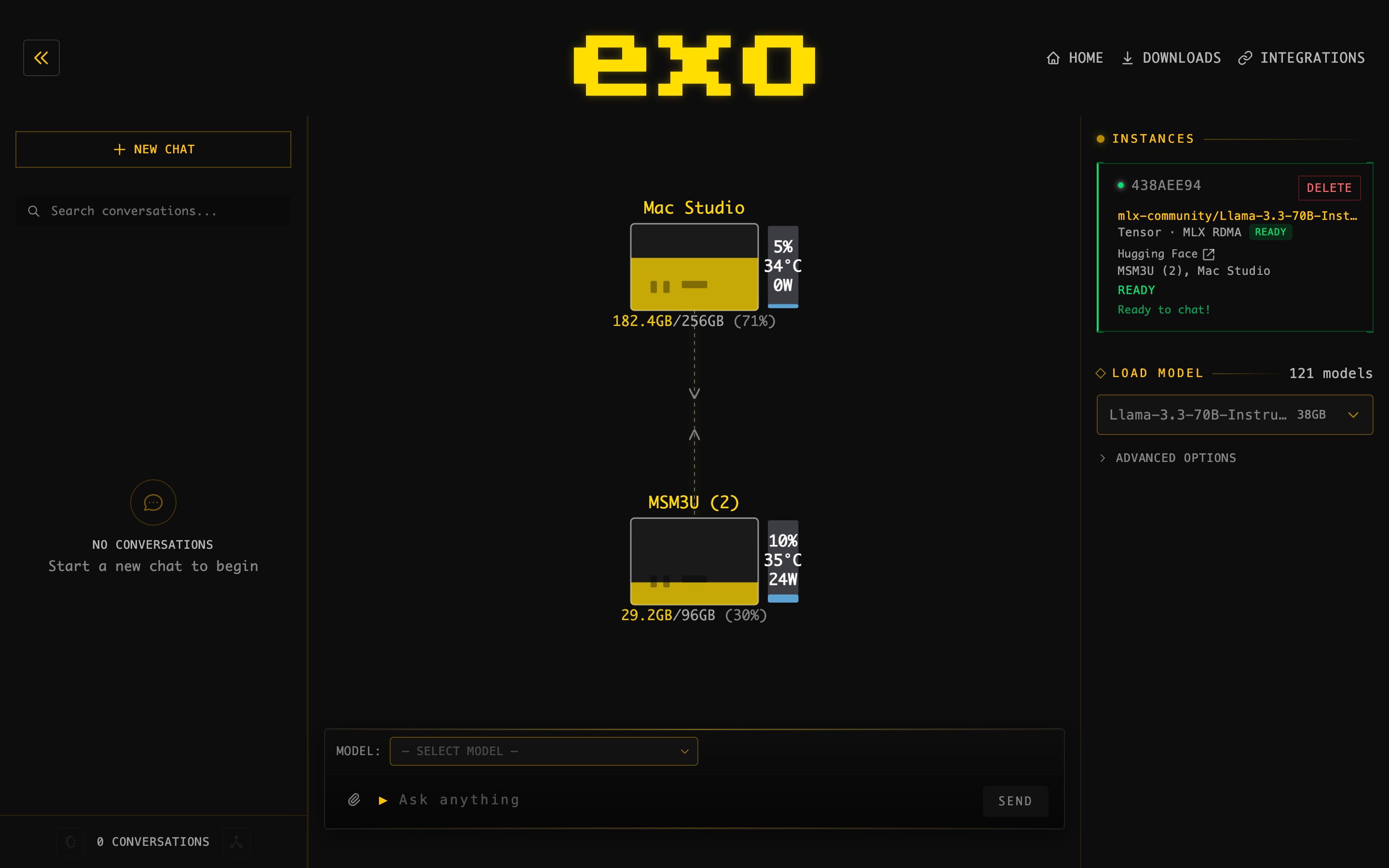
Yes, the dashboard really does say MSM3U (2). That is a leftover Bonjour collision suffix from renaming the machine mid project. I kept the screenshot honest.
The numbers
Decode first, since that is what interactive chat feels like:
| Setup | 62 tokens | 80 tokens | tok/s |
|---|---|---|---|
| Single M5 | 3.5s | 4.4s | 17.5 - 18.2 |
| 2-node Ring | 4.4s | 5.2s | 14.1 - 15.2 |
| 2-node JACCL | 3.3s | 3.7s | 18.7 - 21.6 |
JACCL wins decode by about 15 percent. Ring loses by about 16 percent. Same hardware, same model, different collective backend. That gap alone is worth knowing if you run exo: the backend choice matters more than the second machine.
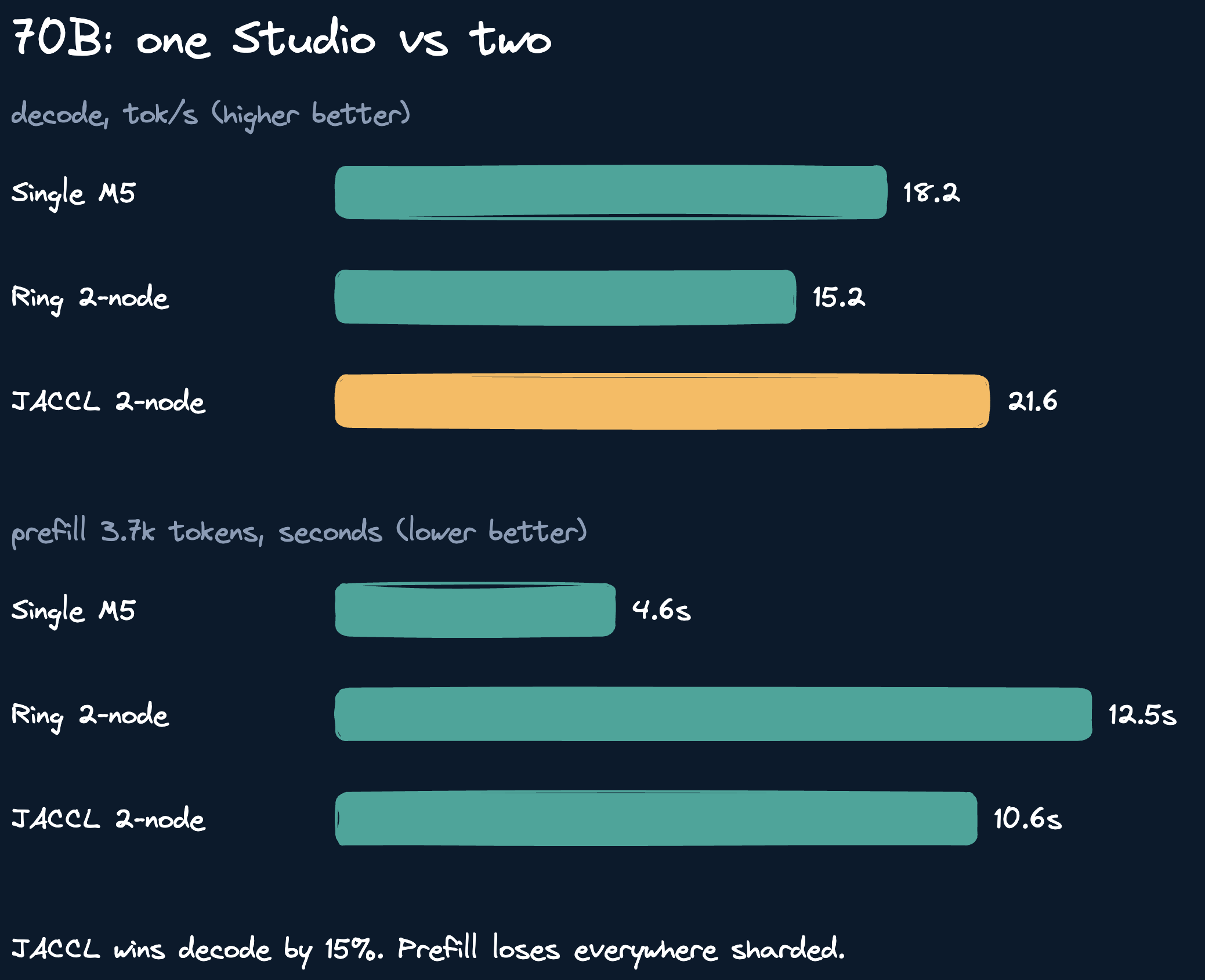
Prefill tells the opposite story. Same 3,700 token prompt on all three setups:
| Setup | Prefill + 10 tokens |
|---|---|
| Single M5 | 4.6s |
| 2-node Ring | 12.5s |
| 2-node JACCL | 10.6s |
Sharded prefill is more than twice as slow even over RDMA. I had predicted the reverse (prefill is compute bound, so extra chips should help). Wrong, at least at this context length. The per layer sync cost across nodes swamps the extra compute until prompts get much longer, and I did not test long enough contexts to find the crossover.
The capacity test
Speed was never the only question. The real prize of a cluster is running models that do not fit on one machine. So I also sharded a 164GB MoE (MiMo V2.6 Flash, 4-bit) as a two node pipeline. It ran. It produced correct output. It managed 0.86 tokens per second.
The bottleneck was not the interconnect. It was the smaller box. Exo only offers even splits, so each node held half of everything, and half of 164GB on a 96GB machine leaves no headroom. The M3 sat at half a gigabyte free with swap spilling while the M5 coasted. The straggler set the pace for every token.
Two more findings from that run are worth recording. First, exo downloads the full model weights to every node, not just its shard. My 164GB test cost 160GB of disk on each machine. Second, the downloader refuses to start unless a single directory holds the full model size (the M3 needed 160GB free, not 80GB). Budget disk per node accordingly.
The operating rule
Fits on the M5: run it there, solo. The cluster makes it slower or, at best, 15 percent faster at decode while worse at everything else. Does not fit on the M5: shard it, because the alternative is not running it at all.
That is the honest shape of heterogeneous clustering on Apple Silicon in late 2026. A matched pair of big machines would scale better (the published 4x homogeneous results show real speedups). But a 256GB flagship paired with a 96GB older box is a capacity play, not a speed play. My M3 now earns its keep as a separate inference lane for small models and embeddings instead of a slow half of a tensor split.
The cluster stays warm for anything over 230GB. Everything else runs solo.
Reproduce it
Hardware: Mac Studio M5 Ultra 256GB + Mac Studio M3 Ultra 96GB, direct Thunderbolt 5 cable, RDMA enabled both sides, macOS 27.0.1 build 26A434 on both. Software: exo 1.0.71, model mlx-community/Llama-3.3-70B-Instruct-4bit. Method: identical prompts via the OpenAI compatible API on port 52415, stream disabled, wall clock per request, two runs each, warm runners. Single node placements ran on the M5 only.